

How to Sell in Shopee: The Setup Guide for Philippine Sellers
Learn how to sell in Shopee Philippines from scratch. Complete setup guide: account registration, listings, shipping, payments, and your first order.
Setting up a Shopee seller account takes about 15 minutes. Getting your store to actually generate orders takes the right setup — in the right sequence. This guide walks through every step from account registration to your first payout, so you start selling instead of troubleshooting.
What You’ll Need
Before you open the registration form, prepare everything on this list:
- Valid Philippine government ID — PhilSys national ID, passport, driver’s license, UMID, SSS/GSIS ID, PRC license, or voter’s ID (any one; must be unexpired with a clear photo)
- Active Philippine mobile number — used for OTP verification during registration and for order notifications going forward
- Bank account or GCash wallet — for receiving your sales payouts (BDO, BPI, UnionBank, Metrobank, GCash, and Maya are all supported)
- Product photos — at least 3 clear images per product at 800x800 pixels minimum; neutral or white background preferred
- Product details — prices, weights, dimensions, and any variants (size, color, quantity) ready before you start listing
- Packaging materials — poly mailers, boxes, bubble wrap, and tape ready before your first order arrives
Having all of this ready before you touch the registration form cuts setup time significantly.
Step 1: Download Shopee and Access Seller Centre
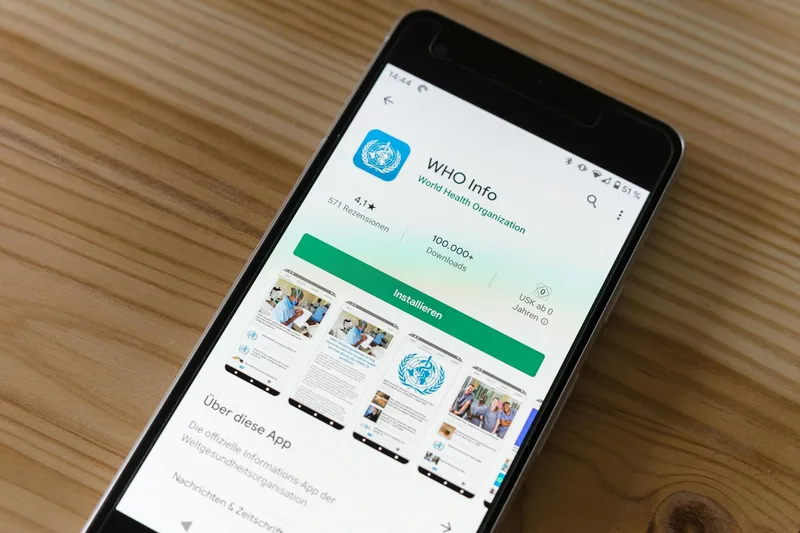
Download the Shopee app from the Apple App Store (iOS) or Google Play Store (Android). If you don’t have a Shopee buyer account yet, create one using your Philippine mobile number — this is required before you can register as a seller.
Once logged in as a buyer, switch to seller mode:
- Tap Me at the bottom-right corner of the app
- Look for Become a Seller or the Seller Centre link
- You’ll be redirected to the Shopee Seller Centre interface
You can also access Seller Centre from a desktop browser at seller.shopee.ph. Both the mobile app and web version sync in real time. Many sellers prefer completing initial setup on desktop for easier typing, then switching to the mobile app for daily operations and order management.
Step 2: Register Your Seller Account
Seller account registration takes 10-15 minutes if your documents are ready. Shopee will ask for:
- Your full legal name (must match your government ID exactly)
- Philippine mobile number (verified via OTP)
- Email address
- Your store’s primary product category
- Your store address (this determines shipping origin and affects delivery cost calculations)
Set your store address with care. If you enter a Metro Manila address but actually ship from Davao or Cebu, Shopee’s shipping cost estimates will be wrong for your listings. Inaccurate delivery time estimates frustrate buyers and result in cancellations — and those cancellations affect your seller performance score.
After completing basic registration, Shopee walks you through identity verification. Upload your government ID photo clearly, then complete the selfie verification step inside the app. Most accounts are verified within 1-3 business days. You can set up your store profile and draft listings during this waiting period.
Step 3: Complete Your Shop Profile

A complete shop profile builds buyer trust before you have any sales history or reviews. Fill in every available field:
- Shop name — Choose something clean and memorable. Avoid keyword-stuffing (a name like “BestCheapGadgetShopPH” reads as spam and reduces trust). A simple brand name or your actual business name converts better.
- Shop description — Two to three sentences covering what you sell, where you ship from, and a key selling point (for example: “Same-day dispatch Monday to Saturday for Metro Manila orders, nationwide delivery via J&T and SPX”).
- Profile photo — A logo, brand mark, or clean product photo. Placeholder or blurry photos reduce click-through rates on your listings.
- Shop category — Set your primary product category accurately. This determines which buyer searches surface your store in recommendations.
One important note: changing your shop name after you have orders and reviews can reset trust signals. Set it correctly the first time.
Step 4: Upload Your First Product Listing
Your product listing is the actual storefront. A well-optimized listing for a mediocre product will routinely outsell a mediocre listing for a strong product. Here is the complete setup for each product:
- Go to My Products → Add New Product in Seller Centre
- Product title — Lead with your primary keyword. Use this format:
[Key Attribute] [Product Name] [Spec] [Variant if needed]. Example: “Kojic Acid Whitening Soap 135g Brightening Set of 3” instead of just “Kojic Soap.” Specific titles match more buyer searches. - Photos — Upload all 9 available image slots. The first image is the thumbnail buyers see in search results — make it count. Use the remaining slots for close-ups, packaging, size references, and how-to-use imagery.
- Product category — Be specific. “Beauty & Personal Care → Skin Care → Face Moisturizer” performs better than just “Beauty” for search relevance.
- Price — Before setting your price, check the top 10 listings in your category and calculate your actual margin after fees. A quick reference for typical deductions:
| Fee Type | Rate | Notes |
|---|---|---|
| Commission | 2%–6% per order | Varies by product category (per Shopee PH Seller Education Hub) |
| Transaction fee | 2% per order | Applied to the total order value |
| Free Shipping subsidy | Varies | Seller contribution depends on program tier and order value |
- Stock and variants — Enter accurate quantities. Running out of stock while Shopee is actively surfacing your listing wastes ranking momentum and frustrates buyers mid-purchase.
- Weight and dimensions — These feed directly into shipping cost calculations. Underestimating weight means you pay the difference out of your payout.
- Product description — Expand on the title with use case, materials or ingredients, dimensions, what is in the box, and how-to-use information. Bullet points are easier for mobile buyers to scan than paragraphs.
Submit each listing. Most Shopee Philippines listings are approved within 2-4 hours.
Step 5: Configure Shipping Settings
Enable every logistics provider available for your area in Seller Centre under My Shop → Shipping Settings. The integrated couriers for Shopee Philippines are:
| Courier | Coverage Strength | Key Notes |
|---|---|---|
| SPX (Shopee Express) | Metro Manila + major cities | Shopee’s own courier — fastest Metro Manila delivery, prioritized in Free Shipping Program |
| J&T Express | Nationwide | Most widely integrated, strong Luzon reach, reliable pickup scheduling |
| Ninja Van | Nationwide | Competitive rates, daily pickup scheduling available |
| Flash Express | Luzon + growing | Increasing Shopee PH integration |
Enable every courier available to your origin address. More courier options give buyers better delivery speed estimates, especially those outside Metro Manila — and buyers outside NCR represent a substantial share of Philippine marketplace volume.
Set your processing time honestly. If you can reliably pack and hand off an order within one business day, set one-day processing. Shopee measures your actual dispatch rate against your stated processing time — consistent late dispatch reduces your seller performance score and suppresses your listings in search.
Step 6: Enable All Payment Methods
Under Finance → Bank Account / E-Wallet, link your payout destination:
- Bank account — Major Philippine banks are supported: BDO, BPI, UnionBank, Metrobank, PNB, Landbank, and others
- GCash — Link your GCash account for accessible payouts; make sure your wallet is fully verified if you expect regular payouts above GCash’s default limits
For buyer payment methods — GCash, Maya, ShopeePay, credit and debit cards, and cash on delivery — these are enabled by default on Shopee Philippines. Do not disable any of them.
Do not disable cash on delivery. COD remains a substantial share of Philippine marketplace orders, particularly outside Metro Manila and for first-time buyers purchasing from a seller with no reviews yet. COD orders carry a higher cancellation rate than digital payments (seller community reports cite 5%-15% depending on category), but the conversion volume you lose by disabling COD far outweighs the cancellation handling cost for most categories. Build a realistic COD cancellation rate into your margin instead of removing the option.
Step 7: Enroll in the Free Shipping Program
The Shopee Free Shipping Program subsidizes shipping costs for qualifying orders above a minimum purchase threshold (typically PHP 99-299, adjusted seasonally by Shopee per their current campaigns). Sellers who participate receive:
- A Free Shipping badge displayed on their listings in search results — a strong visual trust signal
- Increased visibility in Shopee’s algorithm during campaign periods
- Higher conversion rates because Philippine buyers expect free shipping as standard
To enroll: go to Marketing Centre → Free Shipping Program in Seller Centre. Review the minimum spend threshold and confirm it is compatible with your pricing structure. Shopee covers part of the shipping subsidy; the seller contribution varies by program tier and order value.
For most new Philippine sellers, enrolling in the Free Shipping Program is the highest-leverage setup step after completing your product listings.
Step 8: Set Up Chat Auto-Replies

Shopee’s chat response rate directly affects your seller score and search ranking. Sellers with response rates below 70% are placed in a lower visibility tier that suppresses listing rankings across all search results — not just for the queries they fail to respond to.
Setting up auto-replies protects your response rate with minimal ongoing effort:
- Go to Chat → Auto Reply in Seller Centre
- Enable Offline Auto Reply — activates when you are not logged into the app
- Write a simple message: “Hi! Thanks for contacting [Store Name]. We’ll reply within a few hours. You can browse our full catalog in the shop link above.”
- Enable New Chat Auto Reply — sends an instant acknowledgment the moment a buyer opens a new chat thread
Also enable Shopee push notifications on your phone. First-response time within one hour is a weighted factor in Shopee’s chat score — and faster responses directly improve purchase completion rates.
Step 9: List at Least 5 Products Before Promoting
Shopee’s algorithm evaluates store completeness when deciding where to surface listings. A store with one listing does not build buyer confidence the way a store with 10 or more listings does — and buyers who land on a near-empty store frequently click back without purchasing.
Before you run any ads or join any campaigns:
- List at least 5 products (aim for 10-15 if your inventory allows)
- Use all 9 image slots for every listing
- Write complete descriptions — no placeholder text, no blank specification fields
- Set accurate stock quantities across all variants
A complete store also gives your listings a broader organic search footprint.
Step 10: Process Your First Order
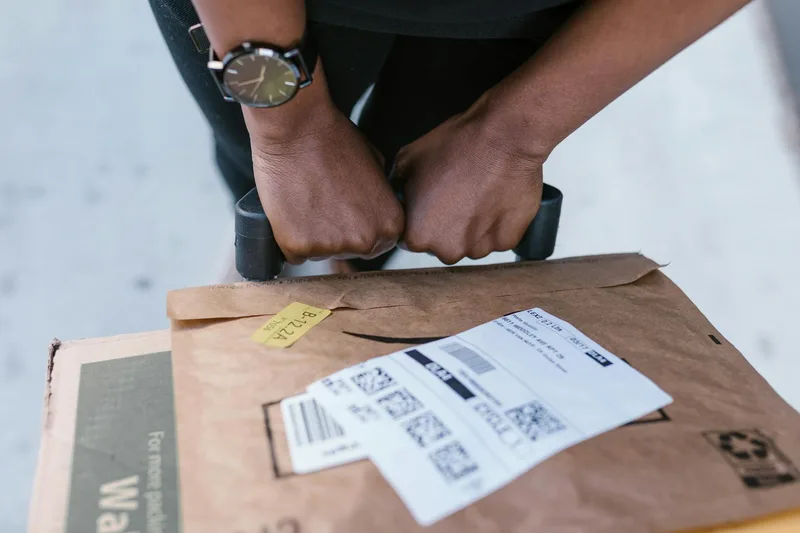
When your first order arrives, Shopee notifies you via push notification and email. You have until your stated processing deadline to fulfill it. Here is the standard flow:
- Open Seller Centre and go to the To Ship tab
- Find the order and tap Arrange Shipment to generate your shipping label
- Print the shipping label (via the Seller Centre app or desktop — it prints as a PDF)
- Pack the order securely. Include a packing slip and consider a brief handwritten note — seller community experience suggests this increases positive review rates for new stores
- Schedule a courier pickup through Seller Centre or drop off the package at your courier’s nearest facility
- Mark the order as Shipped once it has been handed off
J&T Express, Ninja Van, and SPX all offer scheduled daily pickups for marketplace sellers — use pickup scheduling in Seller Centre instead of individual drop-offs.
After delivery, Shopee releases your payout 7-9 days after buyer confirmation or auto-confirmation. Track pending and released payouts under Finance → My Earnings.
Common Mistakes New Shopee Philippines Sellers Make
1. Pricing without calculating actual platform fees
A PHP 500 product does not net PHP 500. Typical per-order deductions include the commission fee (2%-6% depending on category per Shopee Philippines Seller Education Hub), a 2% transaction fee, and any Free Shipping Program seller contribution. Calculate your margin using Shopee’s built-in fee calculator before setting final prices — not after your first payout surprises you.
2. Launching with incomplete product listings
Shopee’s search algorithm evaluates a “content score” for each listing — completeness of title, category, photos, specifications, and description all contribute. A listing with blurry photos and empty specification fields is ranked lower than a complete listing targeting the same keyword, even from a newer account. Fill every field on every listing before you go live.
3. Ignoring the chat response rate until it becomes a problem
A chat response rate below 70% triggers a visibility penalty across your entire store. By the time you notice the traffic drop, you may already have weeks of suppressed ranking to recover from. Auto-replies and phone notifications take 10 minutes to set up and protect account health permanently.
4. Disabling cash on delivery
Disabling COD removes a significant share of potential buyers from your reach, particularly outside Metro Manila. COD cancellations are a real cost, but for most product categories the volume of enabled COD conversions outweighs that cost. Build a typical COD cancellation rate into your margin and price accordingly rather than disabling the payment method.
5. Opening stores on multiple platforms at once
Shopee, Lazada, and TikTok Shop each have different algorithms, different promotion calendars, and different listing optimization requirements. Launching on all three platforms simultaneously in the first week means you will master none of them. Build your Shopee store to 50+ orders and 20+ reviews before expanding to a second platform.
Frequently Asked Questions
How much does it cost to sell on Shopee Philippines?
Listing on Shopee Philippines is free — no listing fees, no monthly subscription. Costs begin when you make a sale. Shopee charges a commission of 2%-6% depending on your product category, plus a 2% transaction fee per order. Per the Shopee Philippines Seller Education Hub, new sellers may qualify for a reduced commission rate during their first 90 days.
Do I need a business permit to sell on Shopee Philippines?
No. Individual sellers can register using a valid Philippine government ID and a mobile number — no DTI business name registration or business permit required to start. Under existing Philippine tax law, BIR registration becomes necessary once annual gross sales exceed PHP 250,000. Most new sellers start as individuals and register with the BIR once they reach that threshold.
How long does it take to receive payment from Shopee Philippines?
Shopee Philippines releases seller payouts 7-9 days after the buyer confirms receipt or after the auto-confirmation period ends, whichever comes first. Funds are deposited to your linked bank account or GCash wallet. You can track pending and released payouts in real time under Finance → My Earnings in Seller Centre.
What ID do I need to register as a Shopee Philippines seller?
Any valid Philippine government-issued ID is accepted: PhilSys national ID, passport, driver’s license, UMID, SSS/GSIS ID, PRC license, or voter’s ID. The image must be clear and the ID unexpired. After uploading your ID, you complete a selfie verification step inside the Shopee app. Most accounts are verified within 1-3 business days after submission.
Can I sell on Shopee Philippines using GCash for payouts?
Yes. GCash is fully supported for Shopee Philippines payouts alongside bank transfers. Link your GCash account under Finance → Bank Accounts in Seller Centre. Payout timing matches bank transfers at 7-9 days after delivery confirmation. For higher payout volumes, upgrade your GCash wallet to fully verified status to avoid hold limits on larger deposits.
Keep Reading
- How to Sell on a Marketplace in the Philippines — compare Shopee, Lazada, and TikTok Shop Philippines with a full fee and feature breakdown
- How to Change Courier on Shopee — add, remove, or switch logistics providers in Seller Centre
- Marketplace Advertising for Philippine Sellers — Shopee Ads setup, budget strategy, and campaign optimization
Frequently Asked Questions
How much does it cost to sell on Shopee Philippines?
Do I need a business permit to sell on Shopee Philippines?
How long does it take to receive payment from Shopee Philippines?
What ID do I need to register as a Shopee Philippines seller?
Can I sell on Shopee Philippines using GCash for payouts?
Related Articles
How to Delete Your Lazada Account in the Philippines
No delete button in the app. Here is how to close your Lazada Philippines account via Customer Support, what to prepare, and how long deletion takes.
How to Delete Your Shopee Account in the Philippines
Shopee PH account deletion is app-only and permanent. Here is the exact step-by-step process, what to clear first, and why your request might get rejected.
How to Sell on Shopee Philippines: Listing to Payout
Step-by-step guide to selling on Shopee Philippines. Create listings, manage orders, ship with local couriers, and receive payouts to GCash or your bank.
Before you go, grab the Shopee setup playbook
Registration, first listing, COD activation, ShopeePay setup. 15 pages, annotated screenshots.
No spam. Unsubscribe anytime.